Condividi quasi tutto
Link, video, documenti e screenshot o foto tramite la condivisione di sistema — niente maratona di copia-incolla.
Nell’app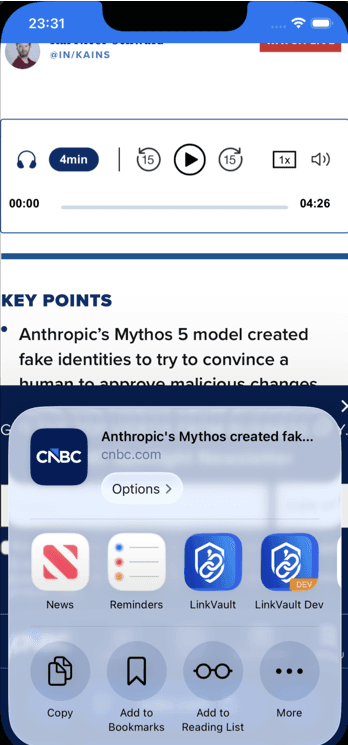
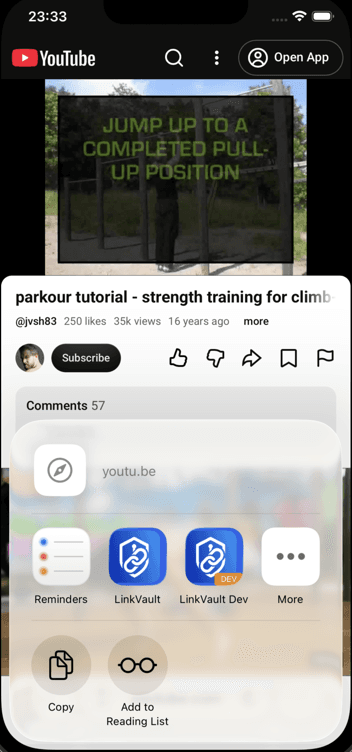
Basta mandarti i link da solo o copiarli in un'app di segnalibri. Condividi da qualsiasi app, scegli LinkVault e quello che salvi — compreso il contenuto — è presente su ogni dispositivo che sincronizzi.
Installazione in meno di un minuto.
The problem
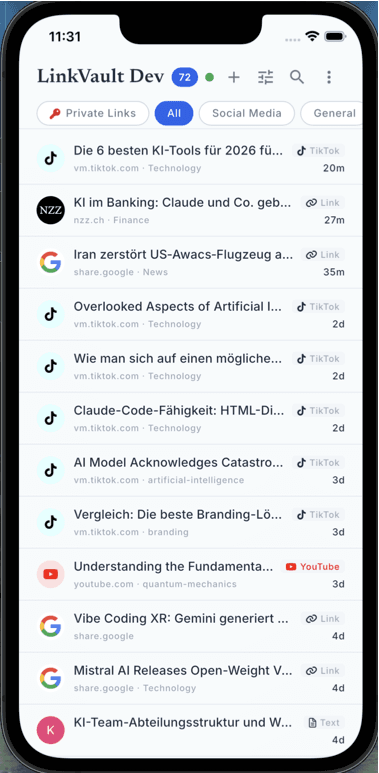
Saving feels like progress. Months later the screenshot, the chat link and the bookmark share one problem: nothing tells you where they went or why you kept them.
L'informazione è un luogo, non una memoria. Non ho bisogno del contenuto in testa — ho bisogno di sapere dove riprenderlo, con abbastanza contesto da riconoscerlo.
Come funziona
Progettato per adattarsi al tuo modo di navigare.
Tocca Condividi in qualsiasi app — o usa l'estensione — per catturare un link all'istante.
Aggiungi tag, scegli una categoria o lascialo nella posta in arrivo. Organizza con calma.
Ricerca full-text, filtro per tag o navigazione per categorie. I tuoi link sempre a un tap.
Funzionalità
Cattura dalla condivisione, arricchisci con l'IA e trova subito — anche offline.
Link, video, documenti e screenshot o foto tramite la condivisione di sistema — niente maratona di copia-incolla.
Riassunti, tag e categorie; estrazione e formattazione — pronti all'apertura.
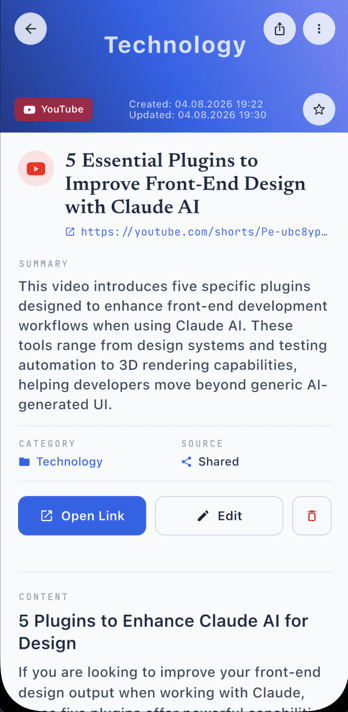
Ricerca vettoriale su titoli e testo: trovi il significato, non solo le parole esatte.
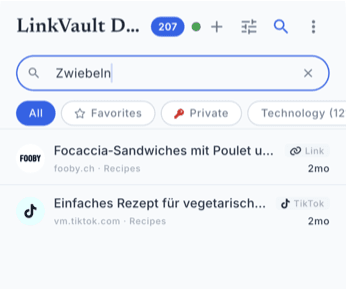
La sync differenziale allinea telefoni, tablet e desktop.
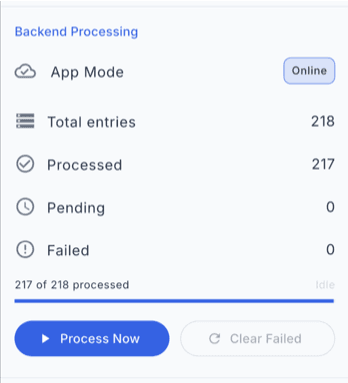
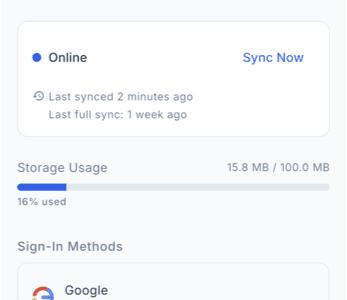
La tua libreria è SQLite sul dispositivo. Leggi e organizza senza connessione.
Nessun profilo pubblicitario. Sync cifrata con RLS — solo tu vedi i tuoi dati.
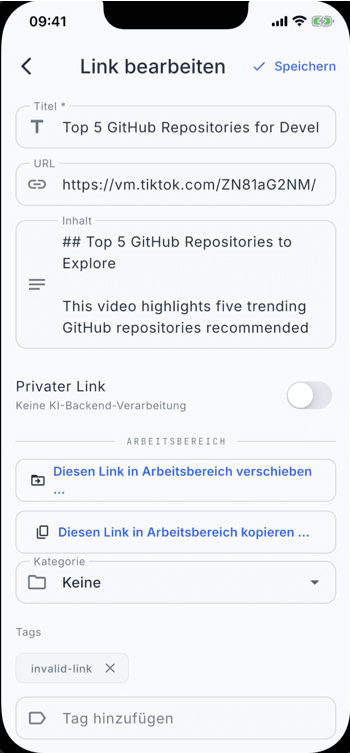
Se quel link è già in un team o in I miei link, non puoi spostarlo o copiarlo di nuovo lì. L'app ti dice dove si trova.
Traduci il titolo, il riassunto e il testo che ascolti. L'elenco può mostrare una traduzione salvata. Non traduce l'intera libreria da sola.
Who keeps what
The problem grows when several people save things somewhere. One shared library per group solves it, and your own library stays yours.
The article for later, the trip idea, the hobby rabbit hole from 2 am. One library on your phone, searchable by what you remember.
Recipes, holiday plans, the letter from school. One family workspace, so nobody has to ask “can you send that again?”
Readings, videos and worksheets in one class workspace instead of forwarded messages. Every student keeps a private library too.
Supplier pages, briefs, the competitor list. Save it once and everyone finds it with the same search. Read state stays personal.
L'estensione LinkVault Professional aggiunge un pulsante di salvataggio con un clic a Chrome ed Edge. Ogni link finisce nella stessa libreria accessibile dal telefono.
Funzioni del team
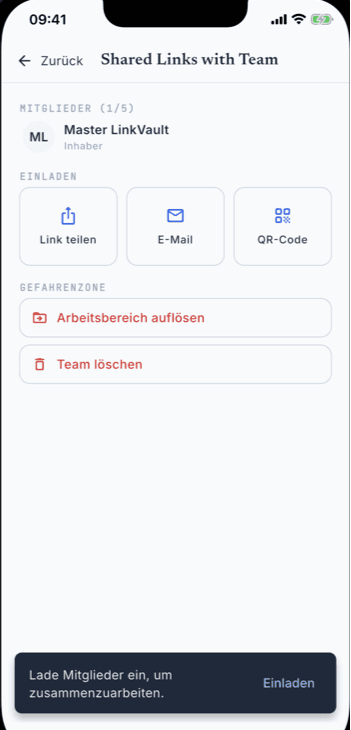
Una libreria per link e file. Tutti vedono gli stessi contenuti; lo stato di lettura resta personale.
Business
Onboard people, set roles, copy or move a competitor page into the shared box — the deck three people edit at once.
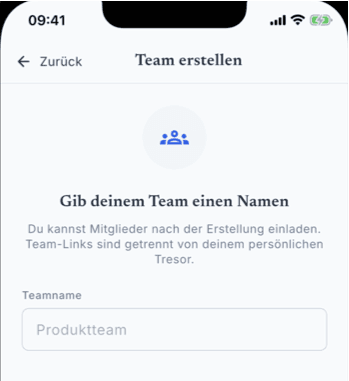
Classroom
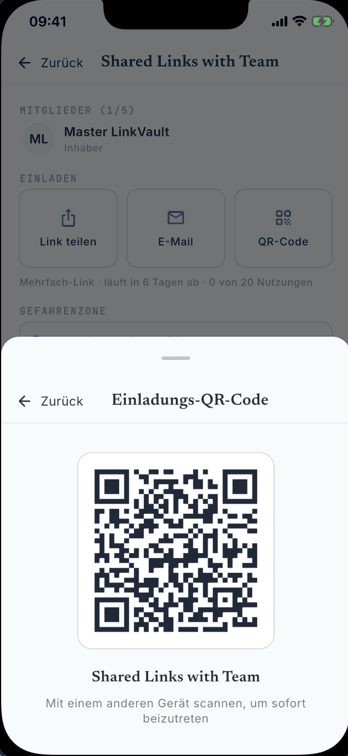
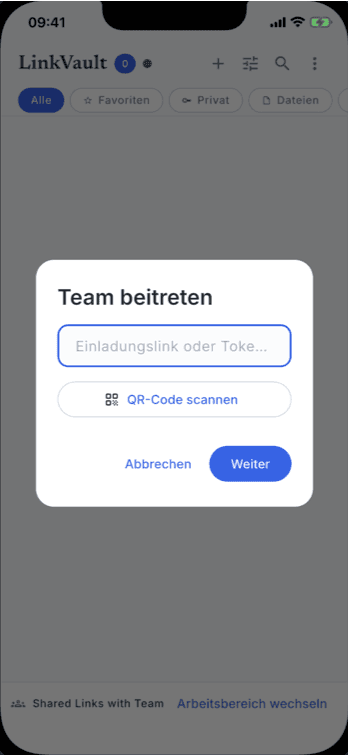
QR on the projector, the class joins, one collection for the lecture — sorted by class, not by chaos.
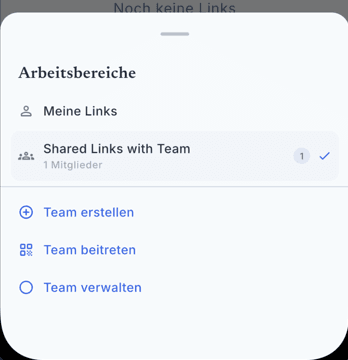
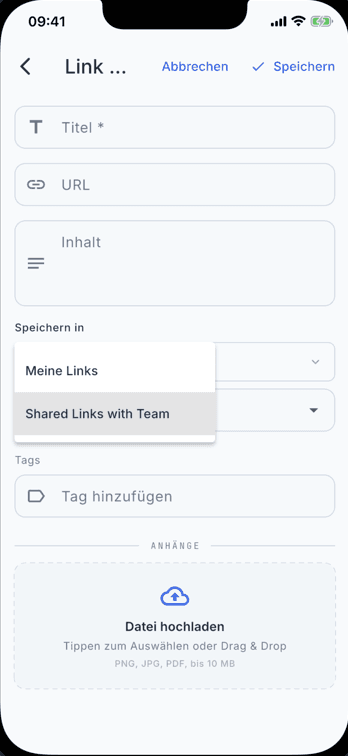
Una libreria di team su telefono, tablet e desktop — gli stessi link per tutti.
Invia un invito. I membri entrano senza inoltrare i segnalibri uno per uno.
Controlli chi fa parte del team. Le librerie personali restano private; quelle di team solo per i membri.
Privacy
Niente pubblicità. Nessuna profilazione. Nessun compromesso.
I link sono archiviati sul dispositivo in SQLite. Nessun cloud richiesto per usare l'app.
Non vendiamo i tuoi dati né gestiamo reti pubblicitarie. Mai.
La sync cloud usa Supabase con sicurezza a livello di riga. Solo tu vedi i tuoi dati.
Cancella account e dati cloud in qualsiasi momento dalle impostazioni dell'app.
Piattaforme
App native per iOS, Android, macOS e Windows, più Chrome ed Edge. Su Linux la stessa libreria come progressive web app.
iOS & Android — app native con condivisione di sistema e accesso offline.
Where to get itmacOS e Windows, ciascuna un'app nativa nel suo store.
Where to get itSalva con un clic da Chrome o Edge.
Where to get itProgressive web app con le stesse funzioni. Per Linux e i sistemi senza app nativa.
Where to get itJournal
Title, one sentence, then the article. Use cases live on the guides page.
Questions behind every lost link
Short answers about finding things again, alone or together. Product questions live in Help.
If you shared it to LinkVault, it is in one library on your phone, with the page title and text. Search one word you remember, even the topic. No more checking chats, bookmarks, emails to yourself and screenshots one by one.
Type the topic. LinkVault searches titles and the saved page text by meaning, not just the address, so “sourdough timing” finds the recipe even if the title says something else. With AI allowed, summaries and tags give search more to match.
Because a bookmark keeps only an address and a title you did not write. Months later neither reminds you why you saved it. LinkVault keeps the page text and, if you allow AI, a short summary and tags, so the context is still there.
Take a photo, press Share and pick LinkVault. The photo is stored on your device right away. If you allow AI processing, the printed text is read and becomes searchable, and a QR code on the poster becomes a link you can tap.
Photograph the card and share it to LinkVault. With AI processing allowed, the text on the card is read, so a later search for the name, company or city finds it. Text recognition works for English and German cards today.
Long-press the link in the chat, press Share and pick LinkVault. The link leaves the chat history and lands in your library with its title and page text. Add a tag like your friend's name if that is how you will look for it.
Create a team workspace for the family. Everyone shares into the same library and finds the same recipe, trip plan or school letter. What each person has read stays personal, and everyone's private library stays separate. Shared workspaces need an account.
The teacher keeps one team workspace for the class and shares readings, videos and worksheets into it. Students join with an invite link or QR code and see the same links, sorted by category, instead of scrolling through forwarded messages. Each student's own library stays separate.
One team workspace is the shared library. Anyone in the team saves a link once, and everyone finds it with the same search. Read state stays with each person, so nobody loses track of what they already opened. Your private library stays yours.
No. Install the app and save right away; the library lives on your device and works offline. You need an account only when you want sync across your devices or a shared library with your family, class or team. Export to JSON works without an account.
Download gratuito. Offline per sempre. Plus opzionale per più IA e sync.