Comparte casi todo
Enlaces, vídeos, documentos y capturas o fotos por la hoja de compartir — sin maratón de copiar y pegar.
En la app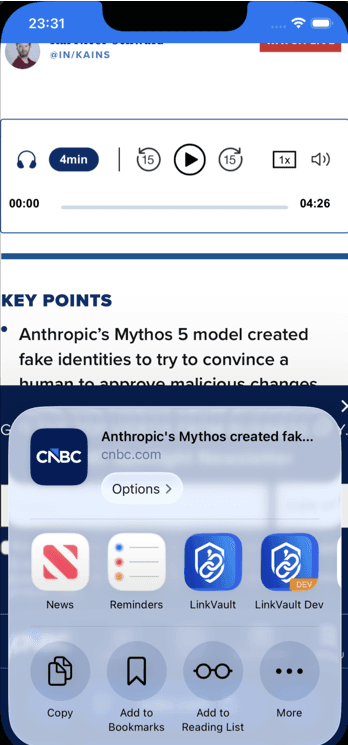
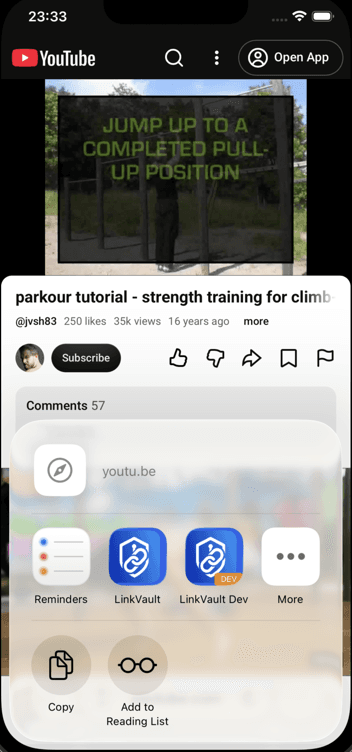
Se acabó lo de enviarte enlaces a ti mismo o copiarlos en una app de marcadores. Comparte desde cualquier app, elige LinkVault, y lo que guardes — incluido el contenido — estará en todos los dispositivos que sincronices.
Instálalo en menos de un minuto.
The problem
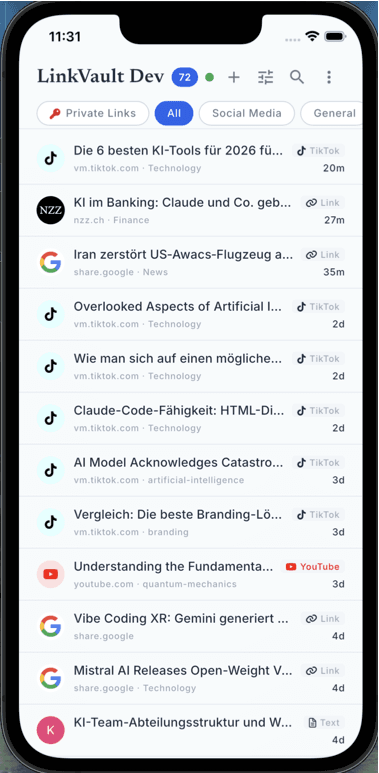
Saving feels like progress. Months later the screenshot, the chat link and the bookmark share one problem: nothing tells you where they went or why you kept them.
La información es un lugar, no una memoria. No necesito el contenido en la cabeza — necesito saber de dónde sacarlo, con contexto suficiente para reconocerlo.
Cómo funciona
Diseñado para encajar en tu forma de navegar.
Toca Compartir en cualquier app — o usa la extensión — para capturar un enlace al instante.
Añade etiquetas, elige una categoría o déjalo en tu bandeja. Organiza a tu propio ritmo.
Búsqueda de texto completo, filtro por etiqueta o exploración por categorías. Tus enlaces siempre a un toque.
Funciones
Captura desde compartir, enriquece con IA y encuentra rápido — incluso sin conexión.
Enlaces, vídeos, documentos y capturas o fotos por la hoja de compartir — sin maratón de copiar y pegar.
Resúmenes, etiquetas y categorías; extracción y formato limpio — listos al abrir.
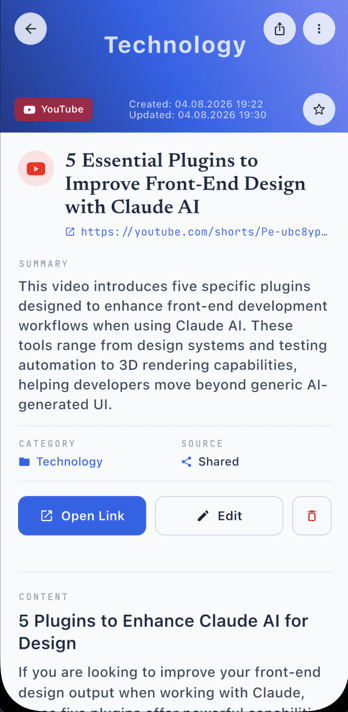
Búsqueda vectorial en títulos y texto: encuentras el sentido, no solo palabras exactas.
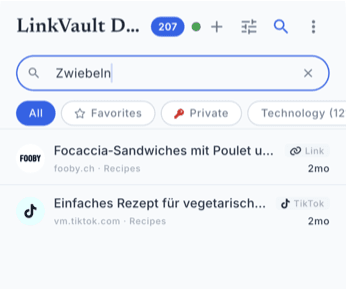
La sync diferencial alinea móviles, tablets y escritorio.
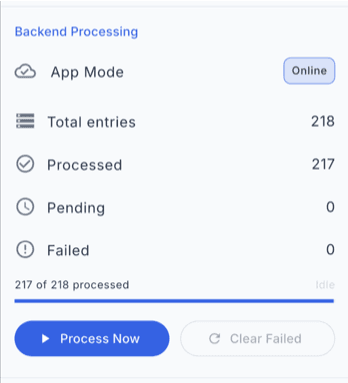
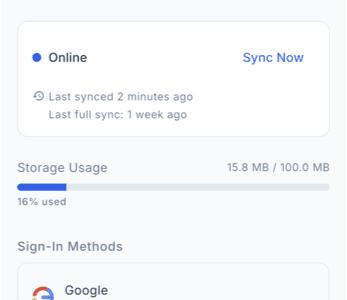
Tu biblioteca vive en SQLite en el dispositivo. Lee y organiza sin conexión.
Sin perfiles publicitarios. Sync cifrada con RLS — solo tú ves tus datos.
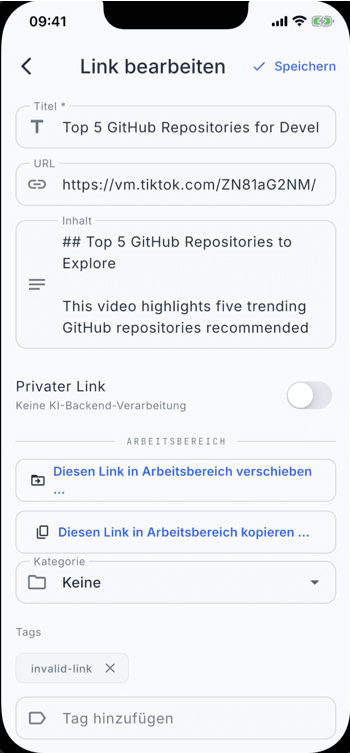
Si ese enlace ya está en un equipo o en Mis enlaces, no puedes volver a moverlo ni copiarlo allí. La app te dice dónde está.
Traduce el título, el resumen y el texto que escuchas. La lista puede mostrar una traducción guardada. No traduce toda la biblioteca por sí sola.
Who keeps what
The problem grows when several people save things somewhere. One shared library per group solves it, and your own library stays yours.
The article for later, the trip idea, the hobby rabbit hole from 2 am. One library on your phone, searchable by what you remember.
Recipes, holiday plans, the letter from school. One family workspace, so nobody has to ask “can you send that again?”
Readings, videos and worksheets in one class workspace instead of forwarded messages. Every student keeps a private library too.
Supplier pages, briefs, the competitor list. Save it once and everyone finds it with the same search. Read state stays personal.
La extensión LinkVault Professional añade un botón de guardar con un clic a Chrome y Edge. Cada enlace va a la misma biblioteca que en tu teléfono.
Funciones de equipo
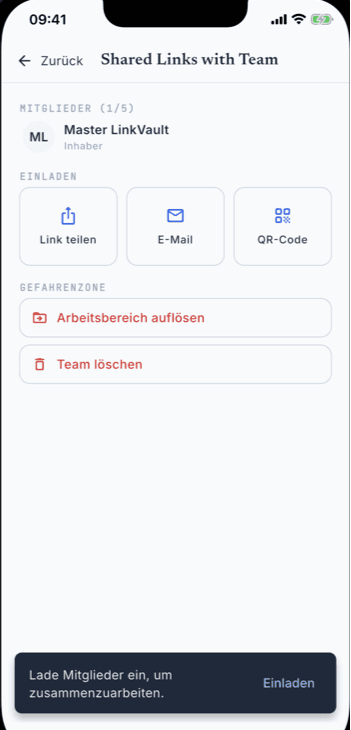
Una biblioteca para enlaces y archivos. Todos ven el mismo contenido; el estado de lectura sigue siendo personal.
Business
Onboard people, set roles, copy or move a competitor page into the shared box — the deck three people edit at once.
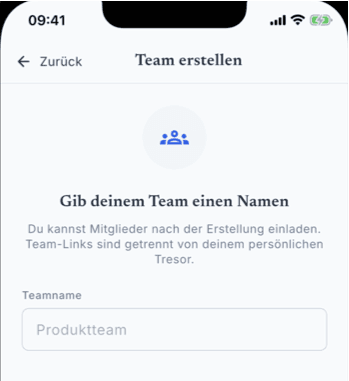
Classroom
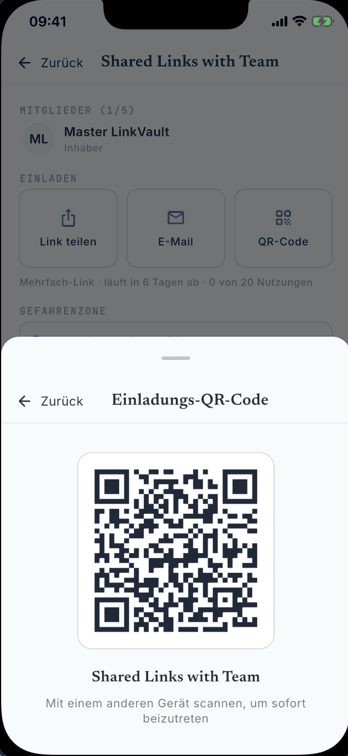
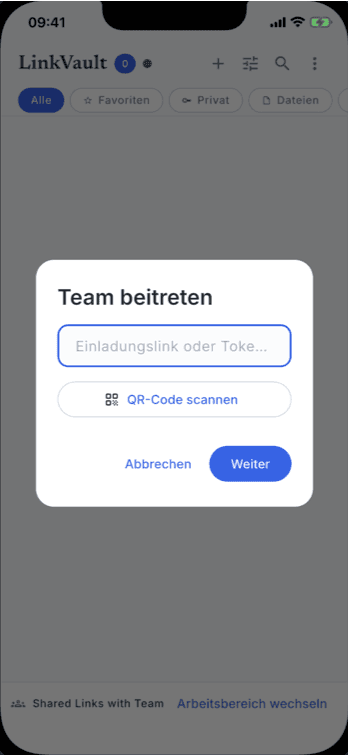
QR on the projector, the class joins, one collection for the lecture — sorted by class, not by chaos.
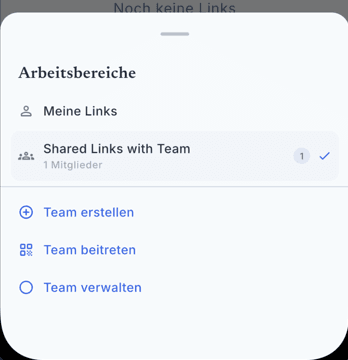
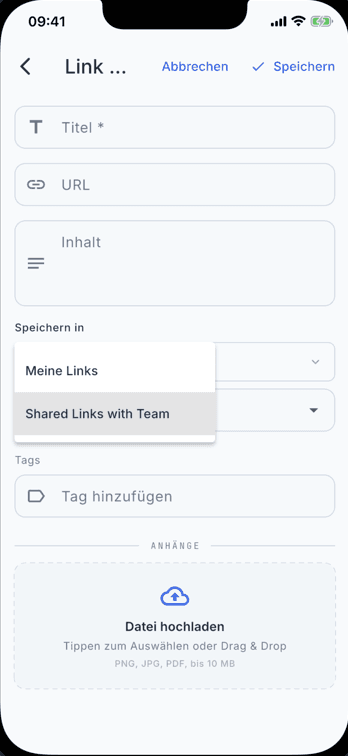
Una biblioteca de equipo en teléfono, tablet y escritorio — los mismos enlaces para todos.
Envía una invitación. Los compañeros se unen sin reenviar marcadores uno a uno.
Tú controlas quién pertenece. Las bibliotecas personales siguen privadas; las de equipo solo para miembros.
Privacidad
Sin anuncios. Sin perfiles. Sin compromisos.
Los enlaces se almacenan localmente en SQLite. No se necesita la nube para usar la app.
No vendemos tus datos ni gestionamos redes publicitarias. Nunca.
La sync en la nube usa Supabase con seguridad a nivel de fila. Solo tú ves tus datos.
Borra tu cuenta y todos los datos en la nube en cualquier momento desde los ajustes.
Plataformas
Apps nativas para iOS, Android, macOS y Windows, más Chrome y Edge. En Linux, la misma biblioteca como aplicación web progresiva.
iOS & Android — aplicaciones nativas con hoja de compartir y acceso sin conexión.
Where to get itmacOS y Windows, cada una una app nativa en su tienda.
Where to get itGuardar con un clic desde Chrome o Edge.
Where to get itAplicación web progresiva con las mismas funciones. Para Linux y sistemas sin app nativa.
Where to get itJournal
Title, one sentence, then the article. Use cases live on the guides page.
Questions behind every lost link
Short answers about finding things again, alone or together. Product questions live in Help.
If you shared it to LinkVault, it is in one library on your phone, with the page title and text. Search one word you remember, even the topic. No more checking chats, bookmarks, emails to yourself and screenshots one by one.
Type the topic. LinkVault searches titles and the saved page text by meaning, not just the address, so “sourdough timing” finds the recipe even if the title says something else. With AI allowed, summaries and tags give search more to match.
Because a bookmark keeps only an address and a title you did not write. Months later neither reminds you why you saved it. LinkVault keeps the page text and, if you allow AI, a short summary and tags, so the context is still there.
Take a photo, press Share and pick LinkVault. The photo is stored on your device right away. If you allow AI processing, the printed text is read and becomes searchable, and a QR code on the poster becomes a link you can tap.
Photograph the card and share it to LinkVault. With AI processing allowed, the text on the card is read, so a later search for the name, company or city finds it. Text recognition works for English and German cards today.
Long-press the link in the chat, press Share and pick LinkVault. The link leaves the chat history and lands in your library with its title and page text. Add a tag like your friend's name if that is how you will look for it.
Create a team workspace for the family. Everyone shares into the same library and finds the same recipe, trip plan or school letter. What each person has read stays personal, and everyone's private library stays separate. Shared workspaces need an account.
The teacher keeps one team workspace for the class and shares readings, videos and worksheets into it. Students join with an invite link or QR code and see the same links, sorted by category, instead of scrolling through forwarded messages. Each student's own library stays separate.
One team workspace is the shared library. Anyone in the team saves a link once, and everyone finds it with the same search. Read state stays with each person, so nobody loses track of what they already opened. Your private library stays yours.
No. Install the app and save right away; the library lives on your device and works offline. You need an account only when you want sync across your devices or a shared library with your family, class or team. Export to JSON works without an account.
Descarga gratuita. Sin conexión para siempre. Plus opcional para más IA y sync.